

This application note provides comprehensive, step-by-step instructions for integrating the E24RF-I-MS800-N MIPI DSI panel driver into STM32 microcontroller projects using the FocusLCDs framework. The document combines general panel integration procedures with specific implementation details for the E24RF-I-MS800-N display panel, ensuring successful integration and optimal performance.
Key Features Covered:
- Complete driver implementation
- Hardware integration guidelines
- Software configuration steps
- Testing and validation procedures
- Troubleshooting guidance
Important Notes
⚠️ Prerequisites: This document assumes familiarity with STM32 development, MIPI DSI interface, and embedded C programming.
📋 Hardware Requirements: Ensure you have the compatible hardware listed in the prerequisites section before proceeding.
🔧 Software Tools: STM32CubeIDE version 1.15+ is recommended for optimal compatibility.
Table of Contents
- Panel Specifications Overview
- Prerequisites
- Project Setup
- Creating the Panel Driver
- Implementing Driver Functions
- Registering the Panel
- Building and Testing
- Troubleshooting
- Files Created/Modified
- References
- Conclusion
Panel Specifications Overview
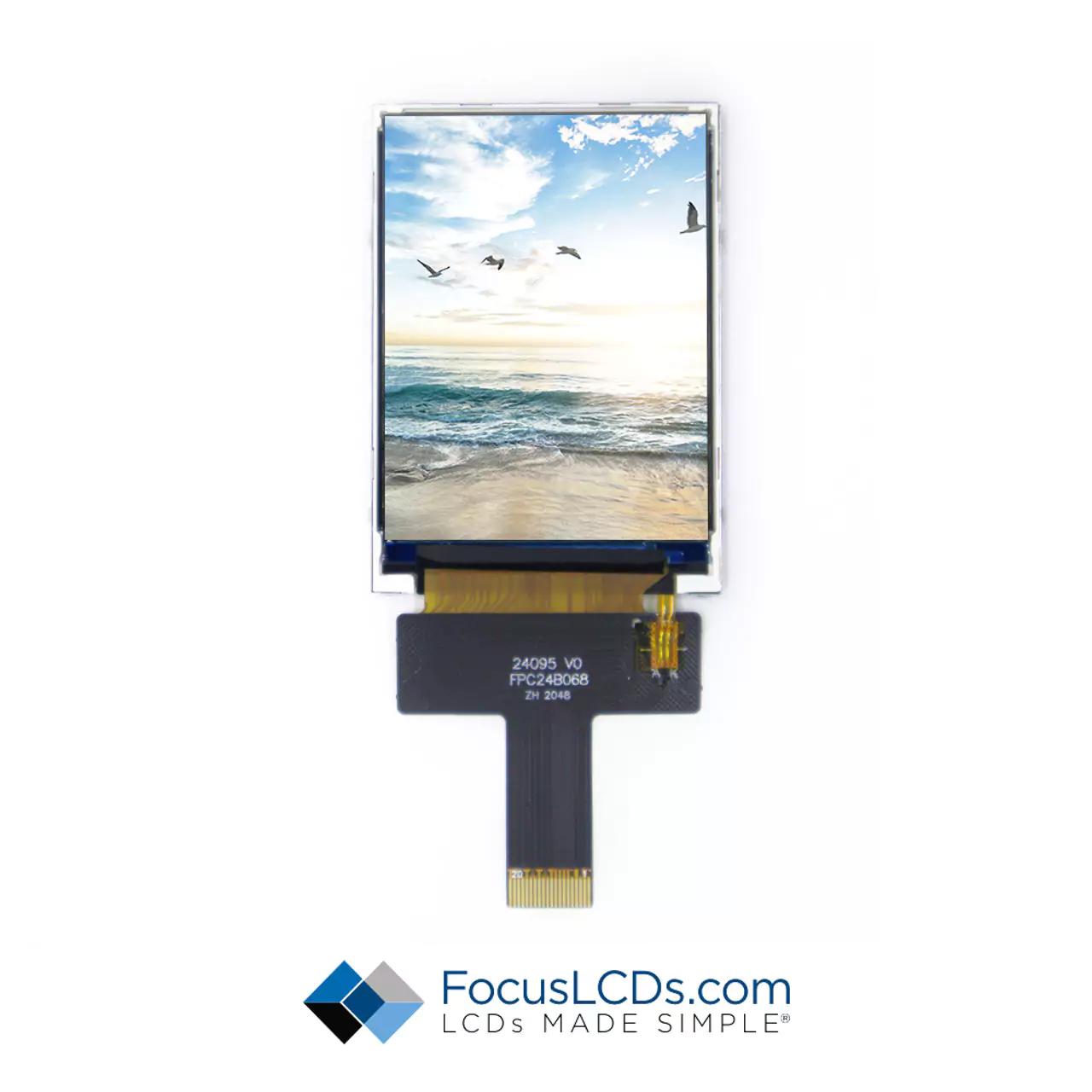
The E24RF-I-MS800-N panel has the following specifications extracted from the provided initialization code: E24RF-I-MS800-N-2LANE-MIPI-CODE.txt
Basic Information
- Model: E24RF-I-MS800-N
- Controller: ST7701SI
- Resolution: 480 × 640 pixels (portrait orientation)
- Color Format: RGB888 (24-bit)
- Interface: MIPI DSI 2-lane
- Frame Rate: 60 Hz
Timing Parameters
// Horizontal timing
HSYNC = 2     // Horizontal sync pulse width
HBP = 12      // Horizontal back porch
HFP = 8       // Horizontal front porch

// Vertical timing
VSYNC = 2     // Vertical sync pulse width
VBP = 12      // Vertical back porch
VFP = 8       // Vertical front porch

// Clock specifications
MIPI_CLOCK = 250 MBPS  // MIPI clock frequency
RGB_CLOCK = 20 MHz     // RGB pixel clock
Frame_Rate = 60 Hz     // Target frame rate
Prerequisites
Before starting, ensure you have the following:
- STM32CubeIDE installed (version 1.15+ recommended)
- FocusLCDs Framework integrated in your STM32 project
- Panel Datasheet (or initialization sequence, available at: E24RF-I-MS800-N-2LANE-MIPI-CODE.txt)
- Hardware: STM32H747-DISCO or compatible board with MIPI DSI interface
- E24RF-I-MS800-N panel connected to the board
Project Setup
Step 1: Clone and Open the Project
Clone the repository:
git clone git@github.com:Focus-LCDs/MIPI-Drivers.git
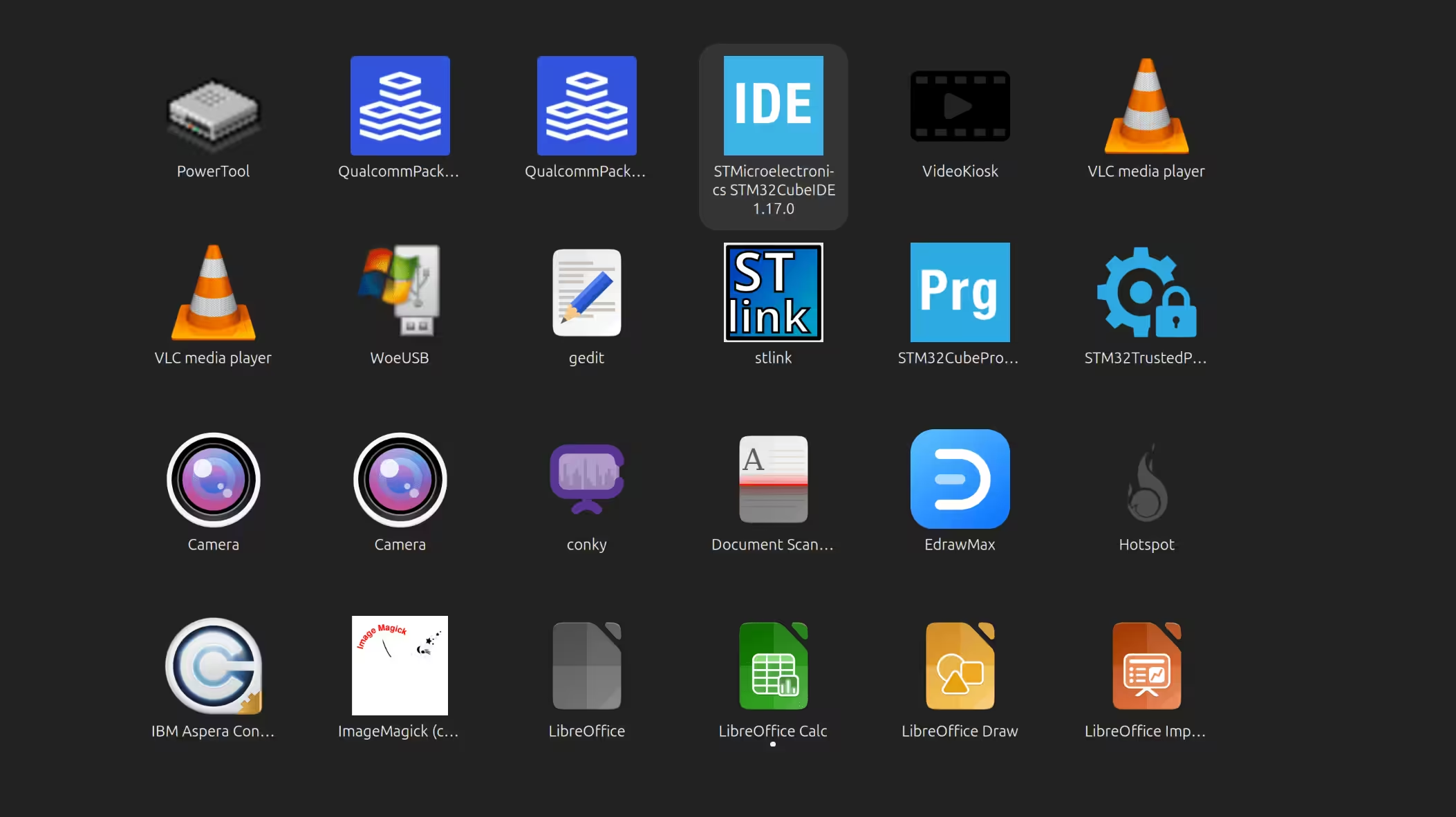
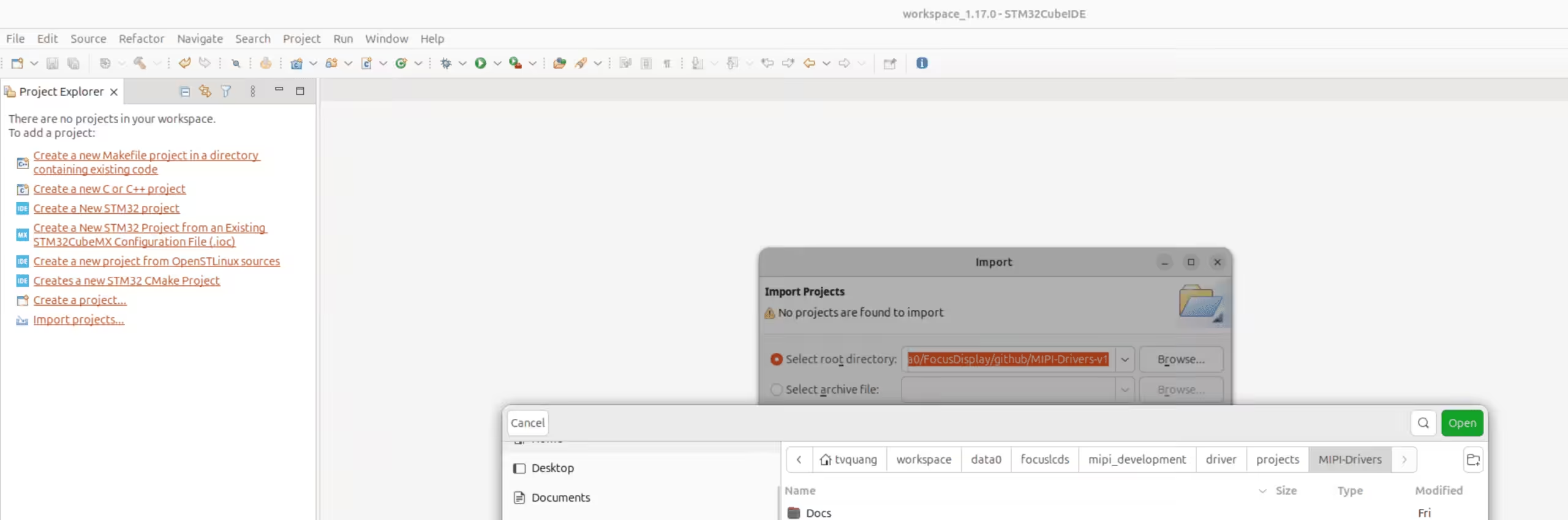
Open STM32CubeIDE and import the project:
- Select File → Import
- Choose Existing Projects into Workspace
- Select the cloned repository directory
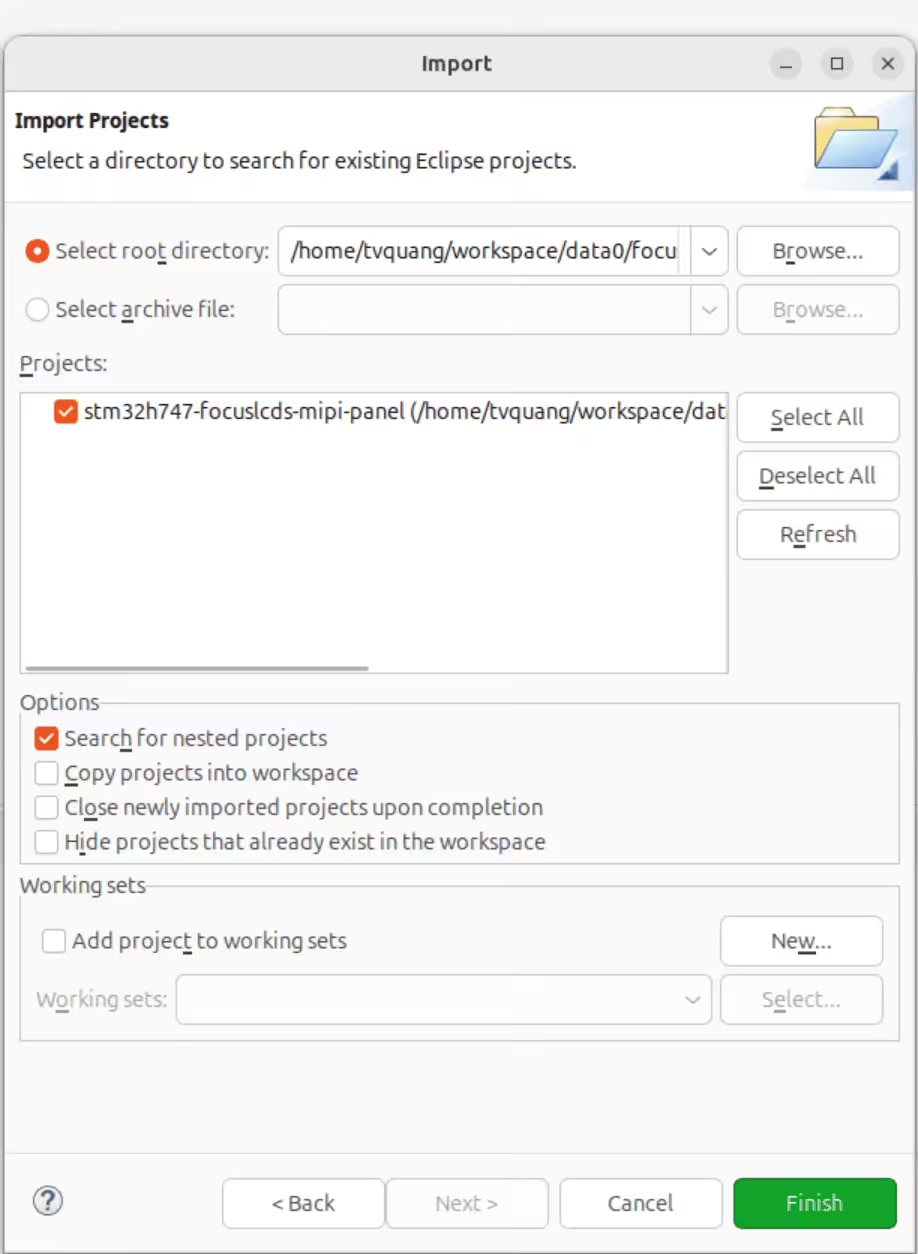
- Click Finish
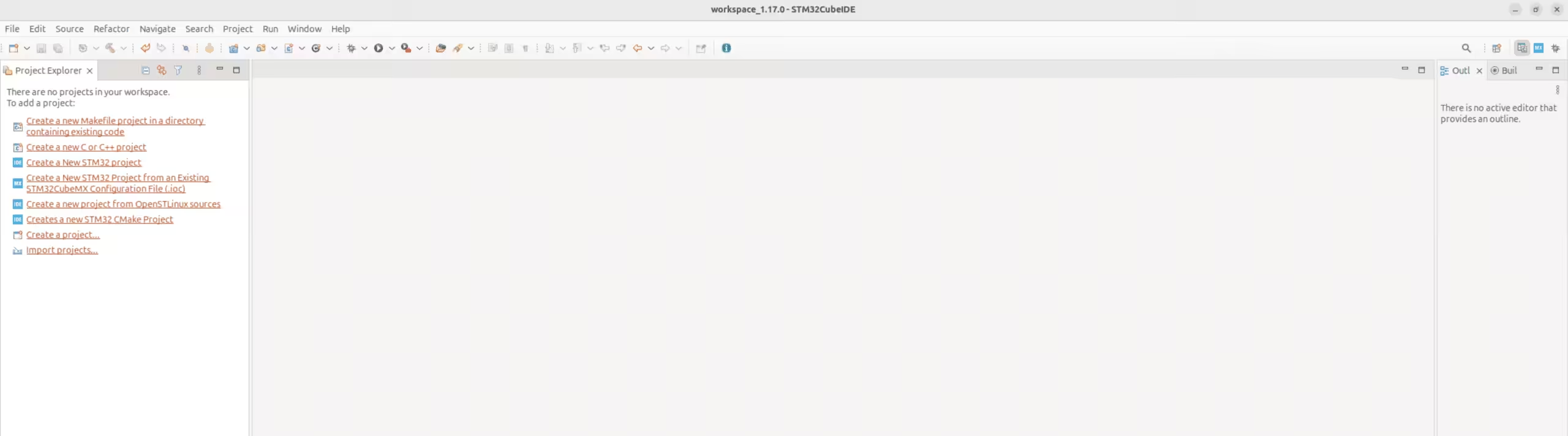
Import the MIPI Driver project
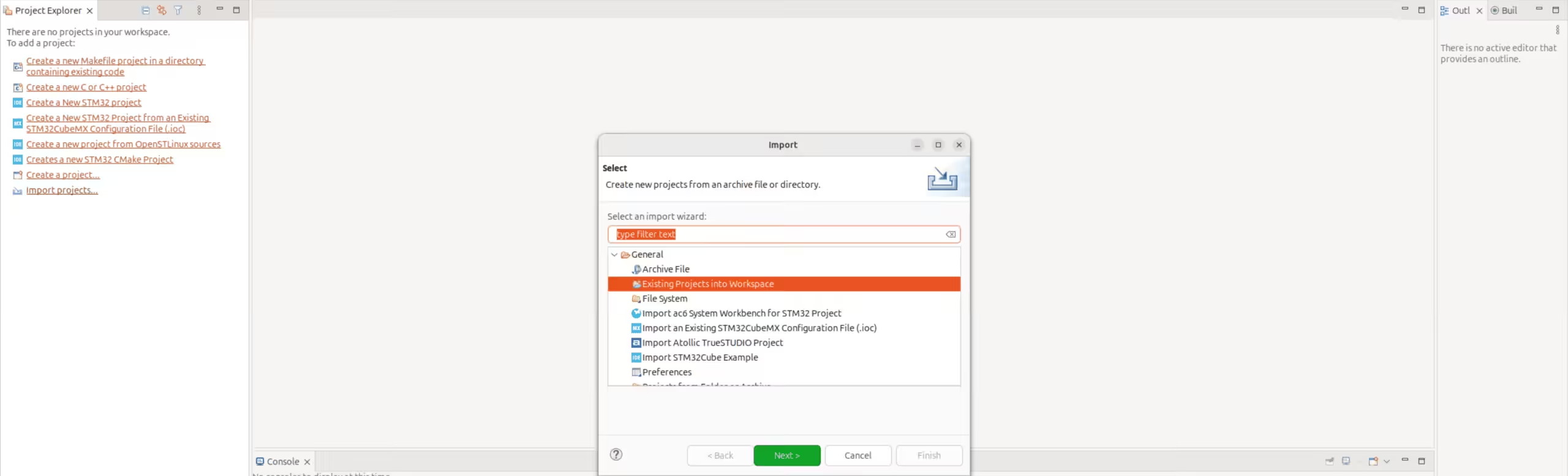
Figure 3: Selecting the MIPI driver project for import
Select – Create new projects from an archive file or directory – Next
Select project
Click Finish
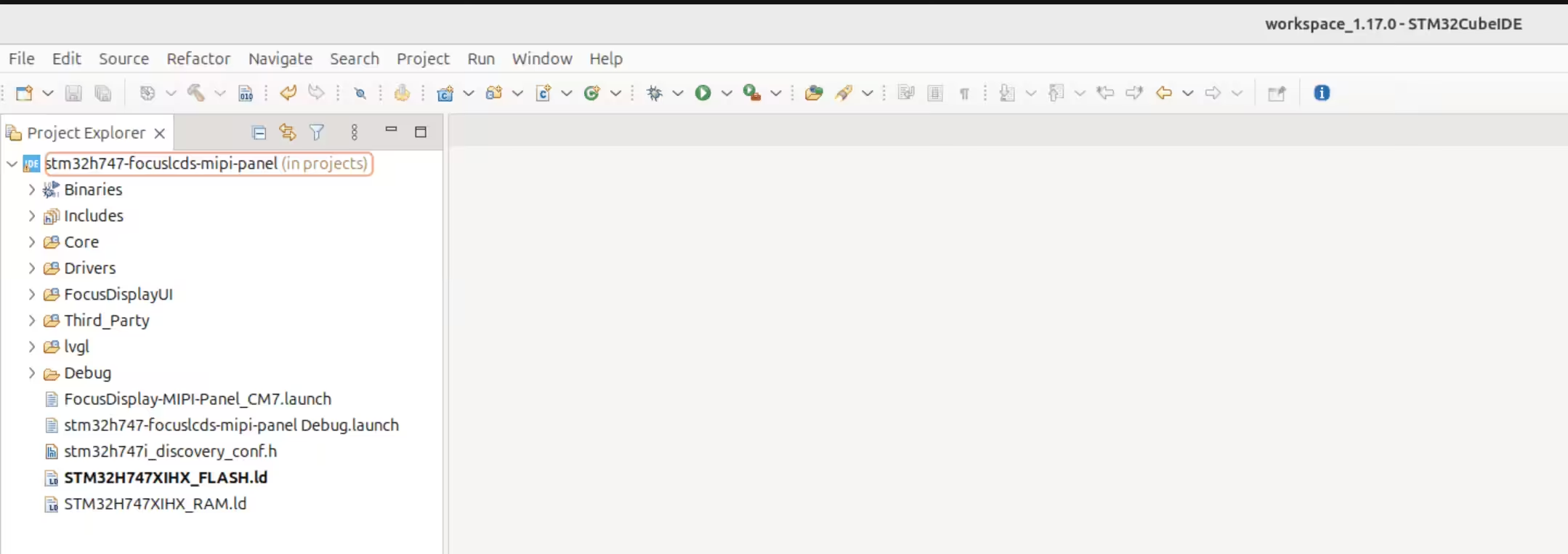
Project structure
Creating the Panel Driver
Step 2: Create Panel Driver Directory and Files
Navigate to projects/Drivers/BSP/Components/focuslcds
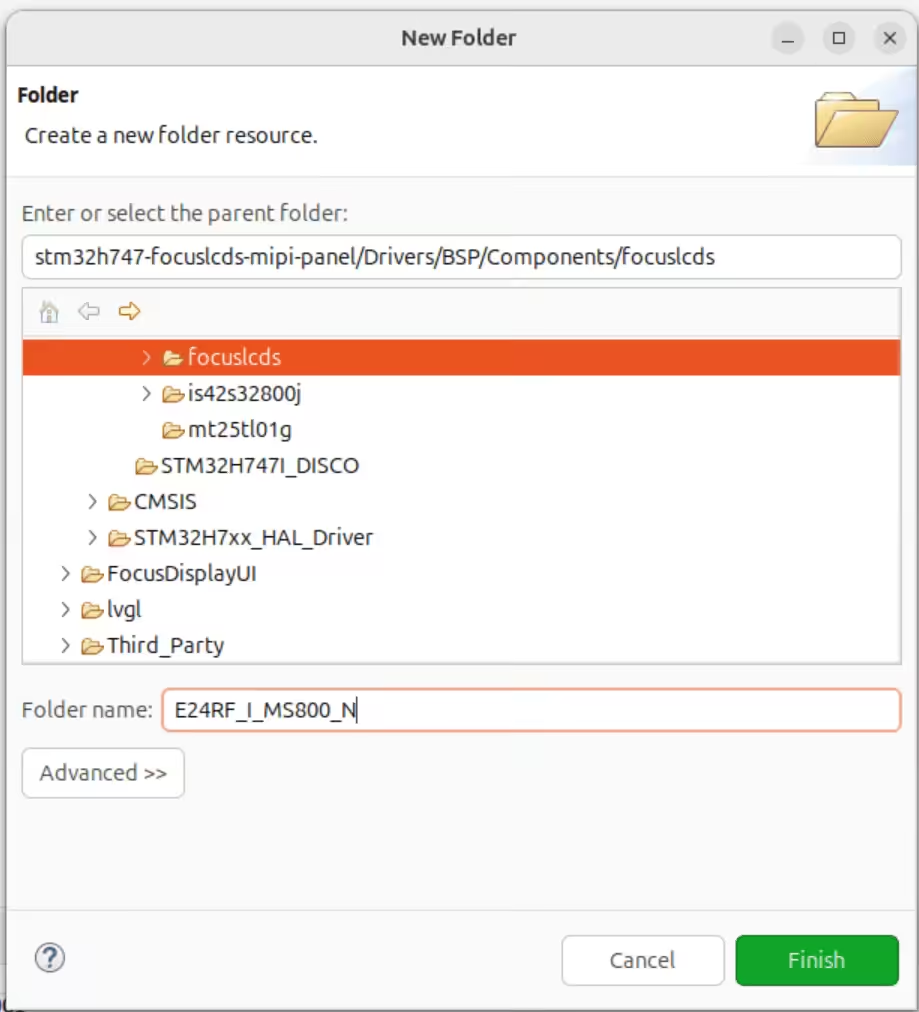
Create a new folder named E24RF_I_MS800_N
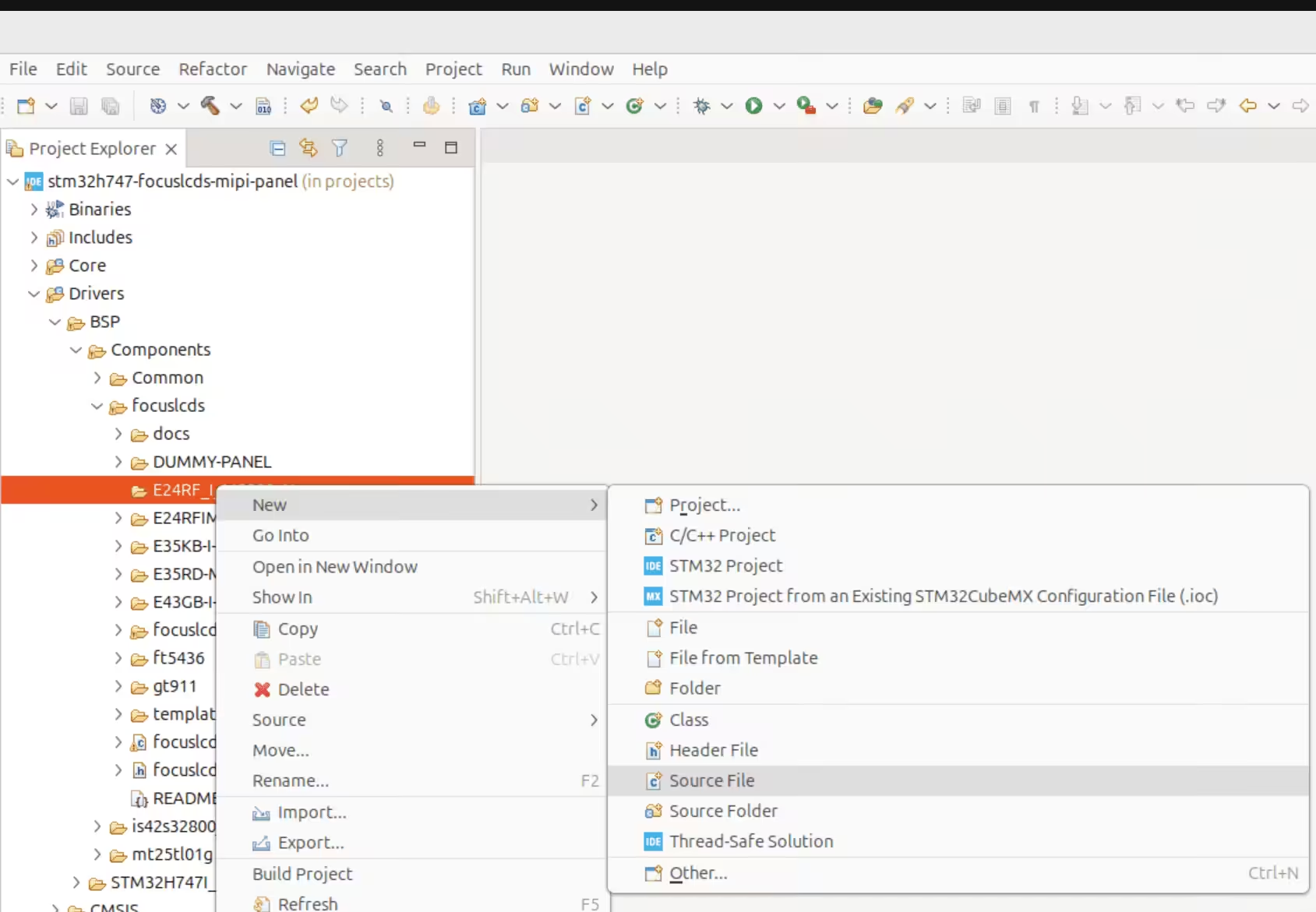
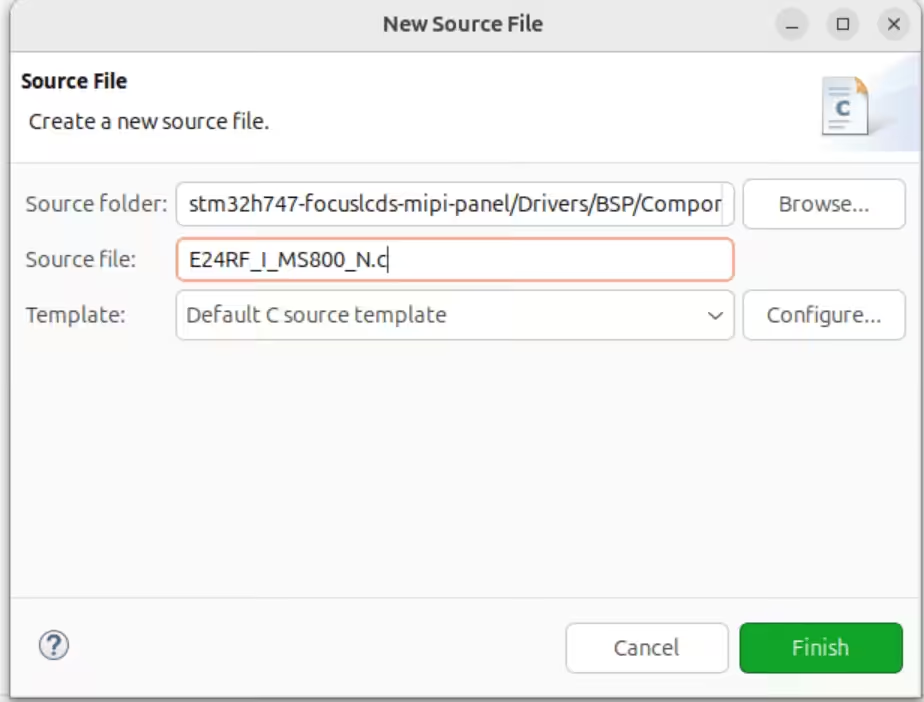
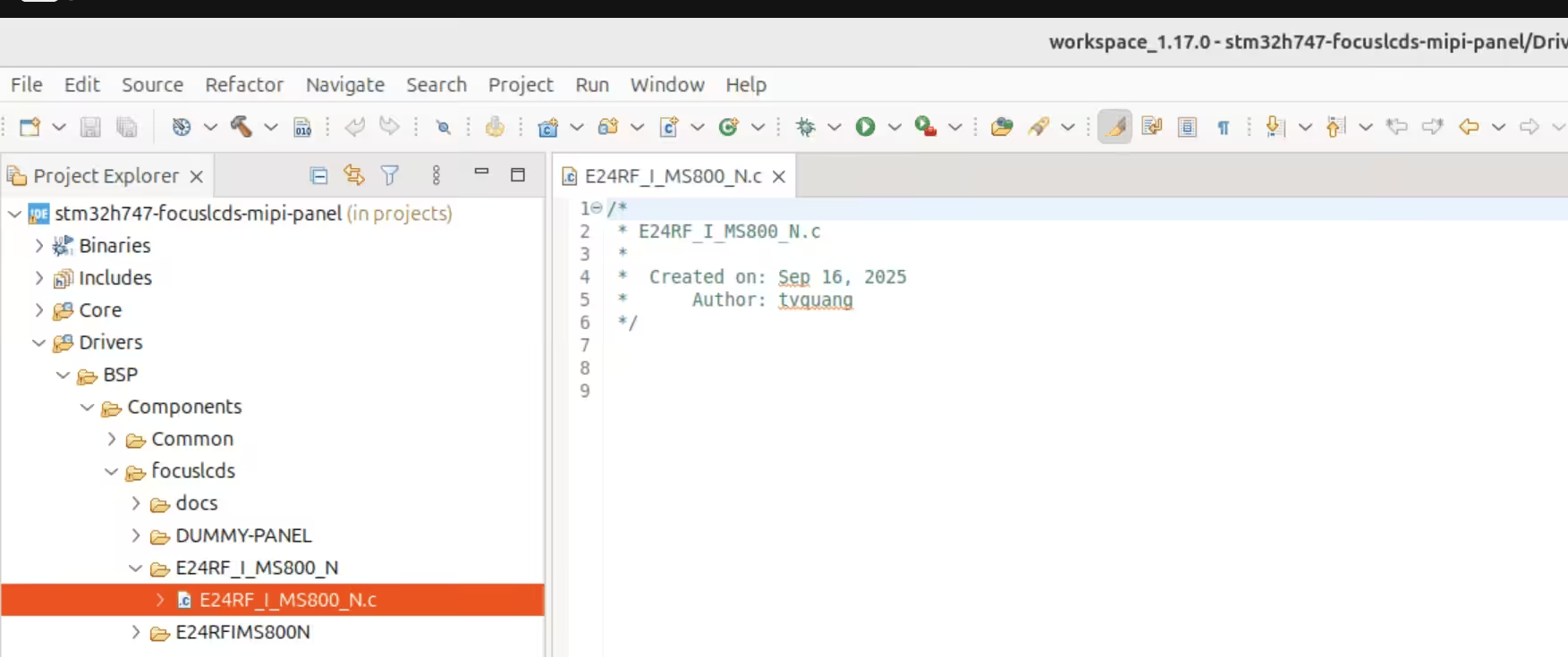
In the new folder, create a C source file named E24RF_I_MS800_N.c
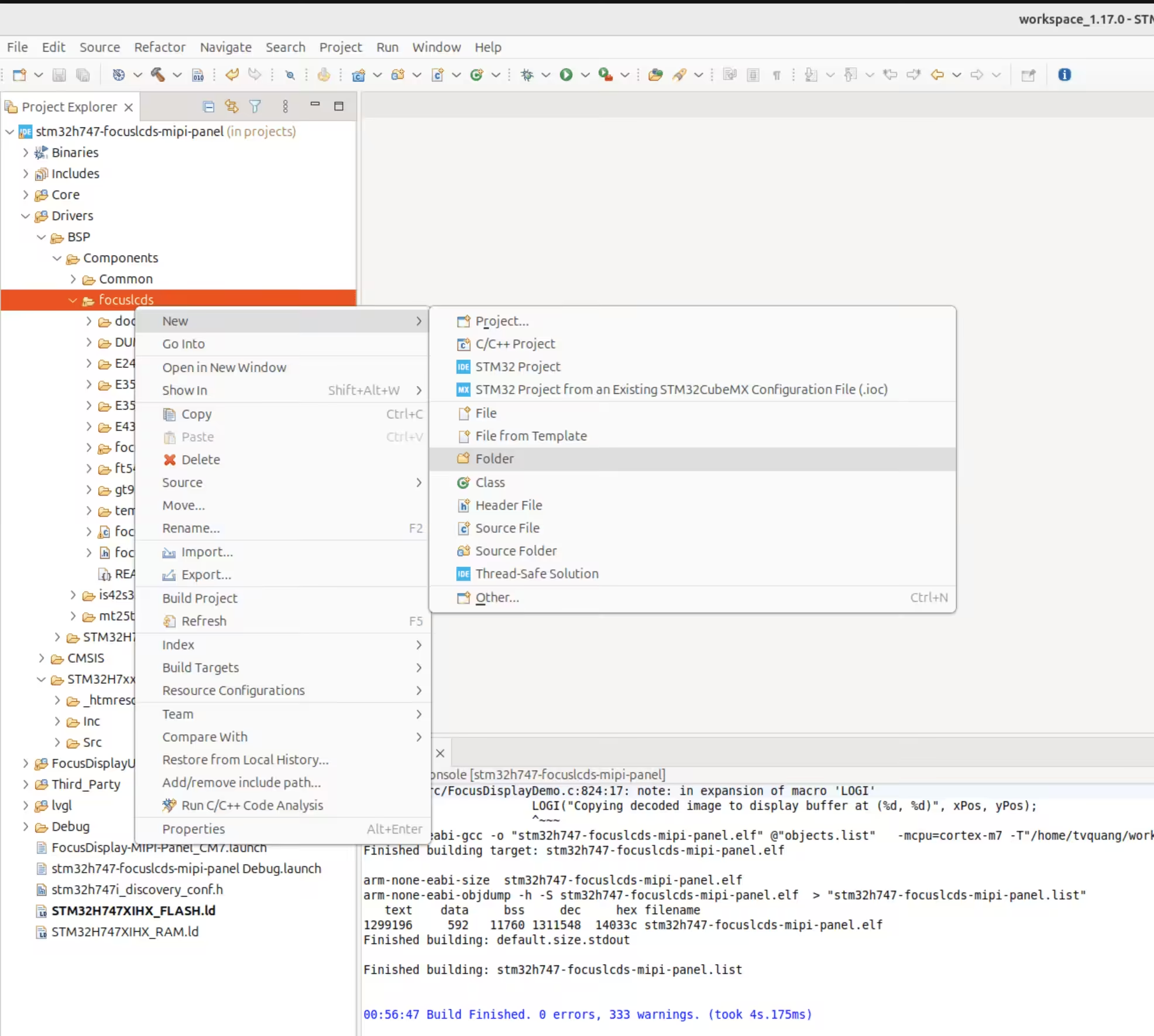
Figure 8: Creating a new folder for the E24RF-I-MS800-N panel driver
Folder name E24RF_I_MS800_N -> finish
In E24RF_I_MS800_N folder, create new c source with name E24RF_I_MS800_N.c
Rename source file E24RF_I_MS800_N.c
Step 3: Implement the Driver Structure
Based on the following documentation:
- Tutorial: Adding New MIPI DSI Devices
- Panel datasheet
- Timing and DSI Init Commands
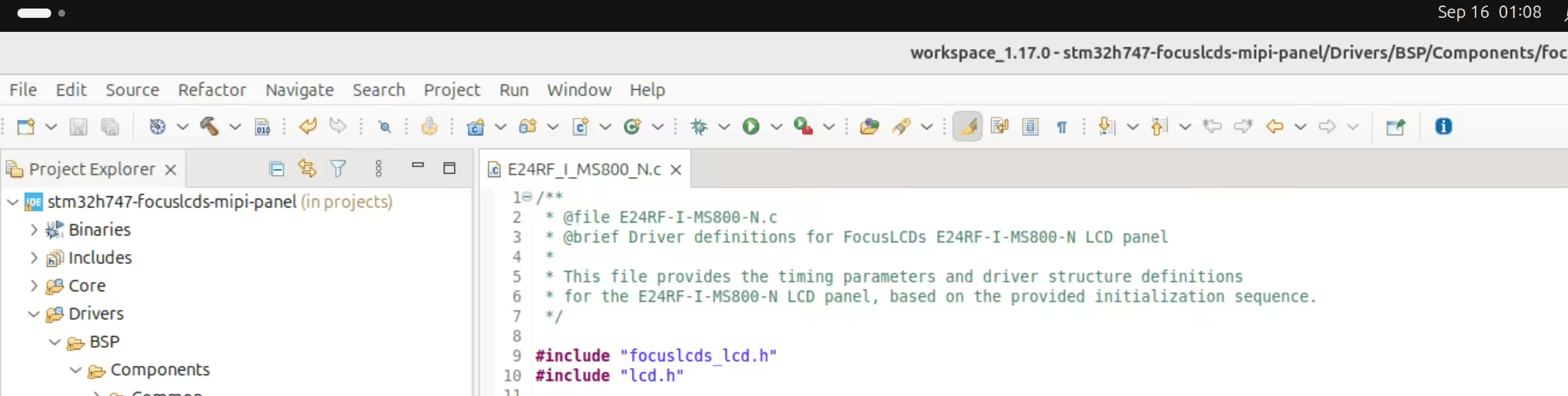
Create E24RF_I_MS800_N.c with the following structure:
Include Headers
#include "focuslcds_lcd.h"
#include "lcd.h"
Define Panel Constants
/* Panel specifications */
#define E24RF_I_MS800_N_WIDTH   ((uint16_t)480)  /* LCD PIXEL WIDTH   */
#define E24RF_I_MS800_N_HEIGHT  ((uint16_t)640)  /* LCD PIXEL HEIGHT  */

/* Timing parameters from datasheet */
#define E24RF_I_MS800_N_HSYNC   ((uint16_t)2)    /* Horizontal sync pulse width */
#define E24RF_I_MS800_N_HBP     ((uint16_t)12)   /* Horizontal back porch */
#define E24RF_I_MS800_N_HFP     ((uint16_t)8)    /* Horizontal front porch */
#define E24RF_I_MS800_N_VSYNC   ((uint16_t)2)    /* Vertical sync pulse width */
#define E24RF_I_MS800_N_VBP     ((uint16_t)12)   /* Vertical back porch */
#define E24RF_I_MS800_N_VFP     ((uint16_t)8)    /* Vertical front porch */

Configure Timing Structure
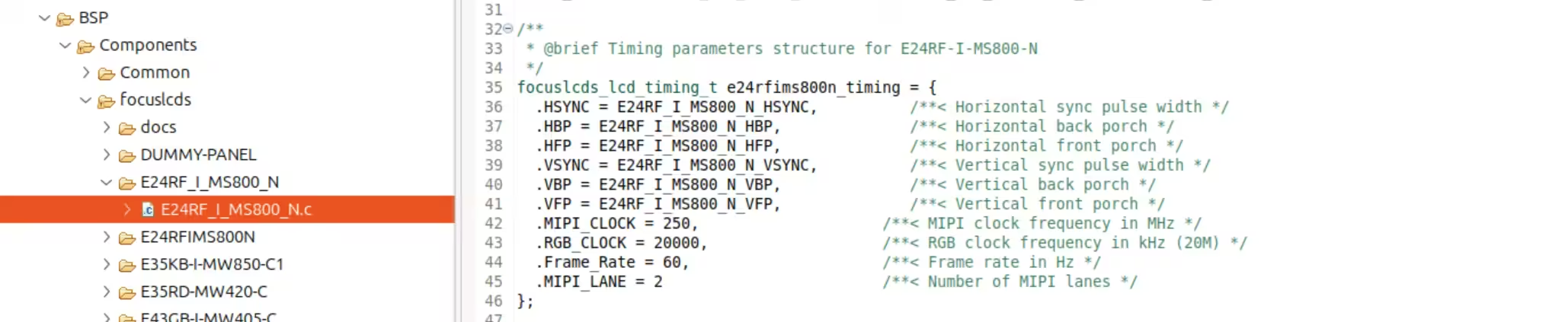
focuslcds_lcd_timing_t e24rfims800n_timing = {
  .HSYNC = E24RF_I_MS800_N_HSYNC,          /**< Horizontal sync pulse width */
  .HBP = E24RF_I_MS800_N_HBP,              /**< Horizontal back porch */
  .HFP = E24RF_I_MS800_N_HFP,              /**< Horizontal front porch */
  .VSYNC = E24RF_I_MS800_N_VSYNC,          /**< Vertical sync pulse width */
  .VBP = E24RF_I_MS800_N_VBP,              /**< Vertical back porch */
  .VFP = E24RF_I_MS800_N_VFP,              /**< Vertical front porch */
  .MIPI_CLOCK = 250,                       /**< MIPI clock frequency in MHz */
  .RGB_CLOCK = 20000,                      /**< RGB clock frequency in kHz */
  .Frame_Rate = 60,                        /**< Frame rate in Hz */
  .MIPI_LANE = 2                           /**< Number of MIPI lanes */
};
Implement Driver Structure
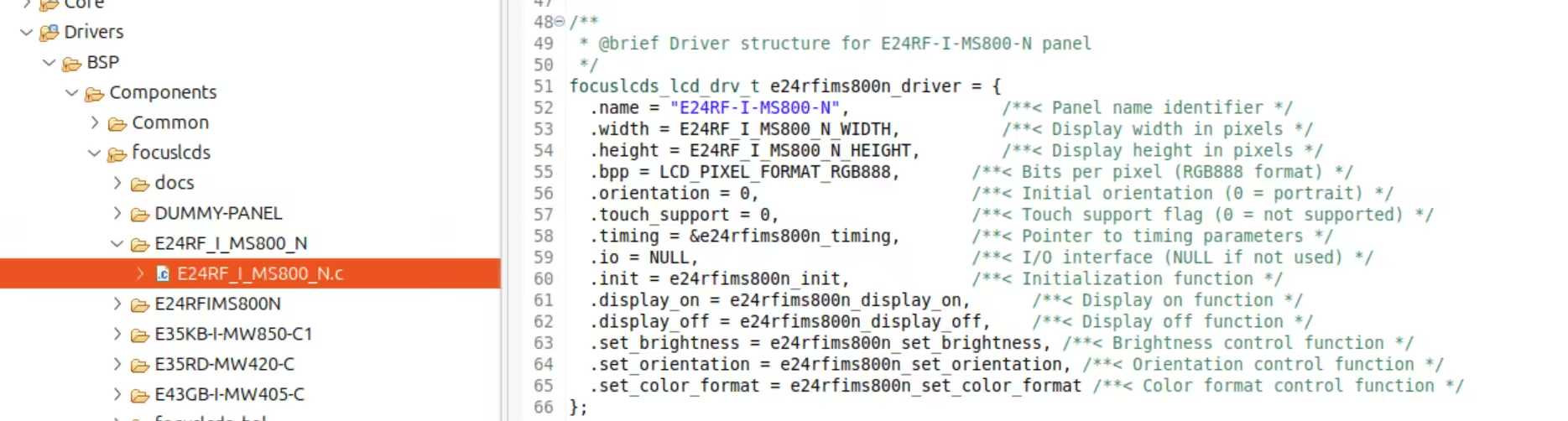
focuslcds_lcd_drv_t e24rfims800n_driver = {
  .name = "E24RF-I-MS800-N",               /**< Panel name identifier */
  .width = E24RF_I_MS800_N_WIDTH,          /**< Display width in pixels */
  .height = E24RF_I_MS800_N_HEIGHT,        /**< Display height in pixels */
  .bpp = LCD_PIXEL_FORMAT_RGB888,          /**< Bits per pixel (RGB888 format) */
  .orientation = 0,                        /**< Initial orientation (0 = portrait) */
  .touch_support = 0,                      /**< Touch support flag (0 = not supported) */
  .timing = &e24rfims800n_timing,          /**< Pointer to timing parameters */
  .io = NULL,                              /**< I/O interface (NULL if not used) */
  .init = e24rfims800n_init,               /**< Initialization function */
  .display_on = e24rfims800n_display_on,   /**< Display on function */
  .display_off = e24rfims800n_display_off, /**< Display off function */
  .set_brightness = e24rfims800n_set_brightness, /**< Brightness control function */
  .set_orientation = e24rfims800n_set_orientation, /**< Orientation control function */
  .set_color_format = e24rfims800n_set_color_format /**< Color format control function */
};
Implementing Driver Functions
Step 4: Implement Initialization Function
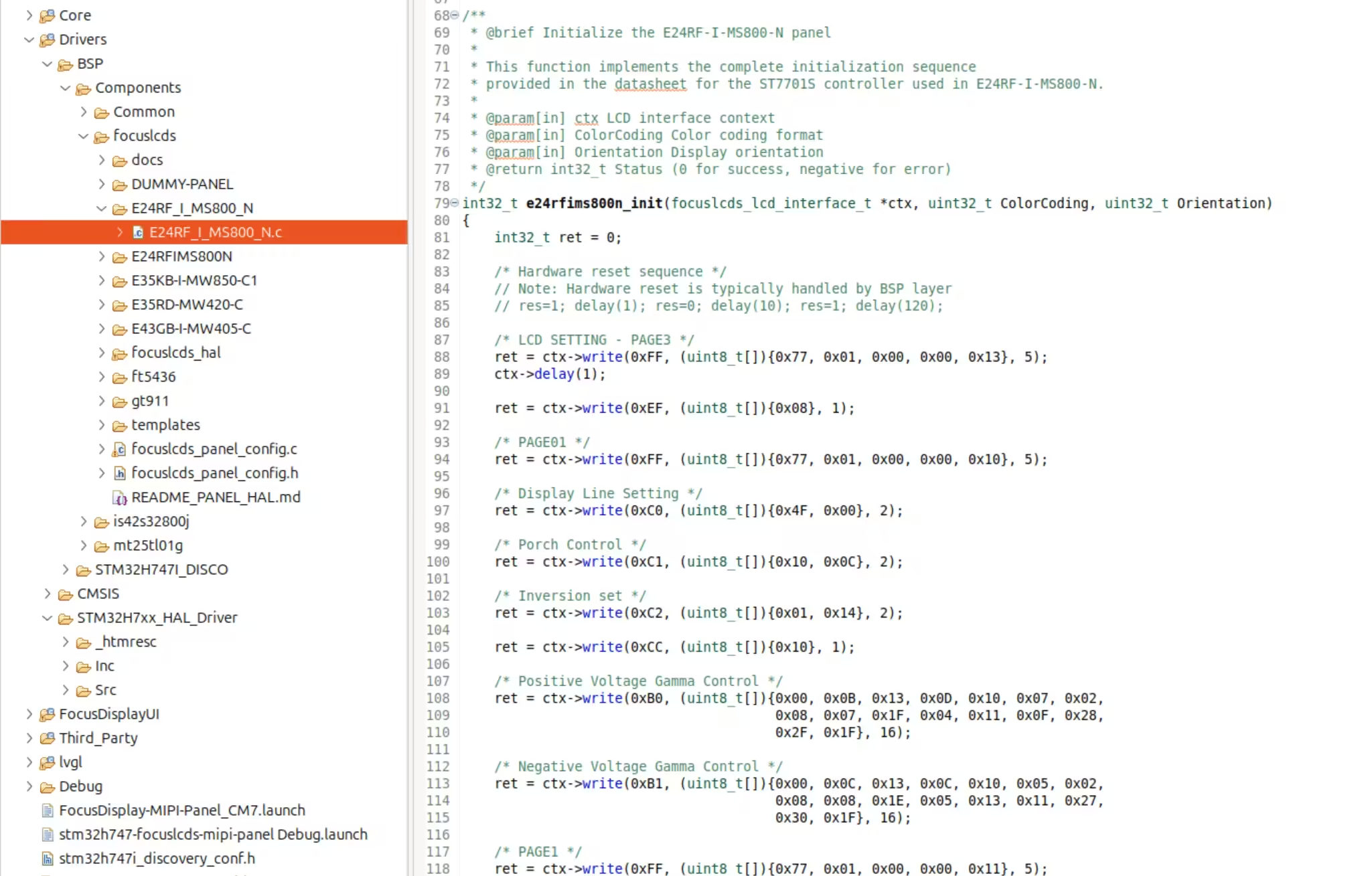
4.1 Convert Initialization Sequence
Convert the entire initialization sequence from the provided code:
int32_t e24rfims800n_init(focuslcds_lcd_interface_t *ctx, uint32_t ColorCoding, uint32_t Orientation)
{
    int32_t ret = 0;

    /* Hardware reset sequence - handled by BSP layer */
    // res=1; delay(1); res=0; delay(10); res=1; delay(120);

    /* LCD SETTING - PAGE3 */
    ret = ctx->write(0xFF, (uint8_t[]){0x77, 0x01, 0x00, 0x00, 0x13}, 5);
    ctx->delay(1);

    ret = ctx->write(0xEF, (uint8_t[]){0x08}, 1);

    /* PAGE01 */
    ret = ctx->write(0xFF, (uint8_t[]){0x77, 0x01, 0x00, 0x00, 0x10}, 5);

    /* Display Line Setting */
    ret = ctx->write(0xC0, (uint8_t[]){0x4F, 0x00}, 2);

    /* Porch Control */
    ret = ctx->write(0xC1, (uint8_t[]){0x10, 0x0C}, 2);

    /* Inversion set */
    ret = ctx->write(0xC2, (uint8_t[]){0x01, 0x14}, 2);

    ret = ctx->write(0xCC, (uint8_t[]){0x10}, 1);

    /* Continue with all other commands from the initialization sequence... */

    /* Set color format to 24-bit RGB */
    ret = ctx->write(0x3A, (uint8_t[]){0x70}, 1);

    /* Display On */
    ret = ctx->write(0x29, NULL, 0);
    ctx->delay(50);

    return (ret == 0) ? 0 : -1;
}
4.2 Key Implementation Notes
Command Conversion Rules
- Page switching:
write_command(0xFF); write_data(...)→ctx->write(0xFF, data_array, length) - Single commands:
write_command(0x11)→ctx->write(0x11, NULL, 0) - Data arrays: Convert individual
write_data()calls to array format - Delays: Use
ctx->delay()instead ofdelay()
Error Handling
int32_t ret = 0;
// After each write operation
if (ret != 0) {
    return -1;  // Error occurred
}
Timing Considerations
- Maintain exact delay values from the original sequence
- Ensure delays are appropriate for the MIPI DSI interface timing
Step 5: Implement Control Functions
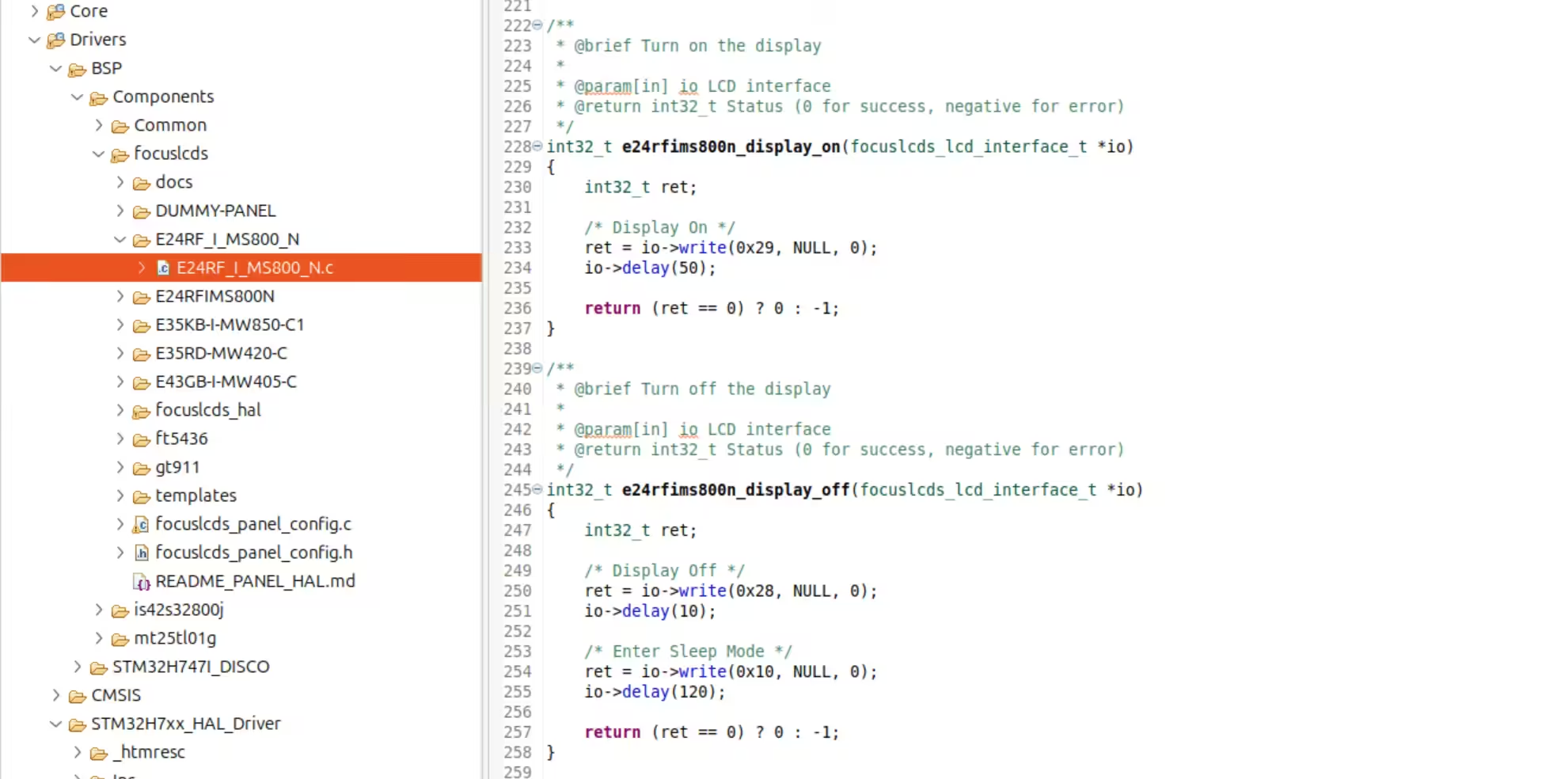
5.1 Display On/Off Functions
int32_t e24rfims800n_display_on(focuslcds_lcd_interface_t *io)
{
    int32_t ret;
    ret = io->write(0x29, NULL, 0);  // Display On command
    io->delay(50);
    return (ret == 0) ? 0 : -1;
}

int32_t e24rfims800n_display_off(focuslcds_lcd_interface_t *io)
{
    int32_t ret;
    ret = io->write(0x28, NULL, 0);  // Display Off command
    io->delay(10);
    ret = io->write(0x10, NULL, 0);  // Enter Sleep Mode
    io->delay(120);
    return (ret == 0) ? 0 : -1;
}
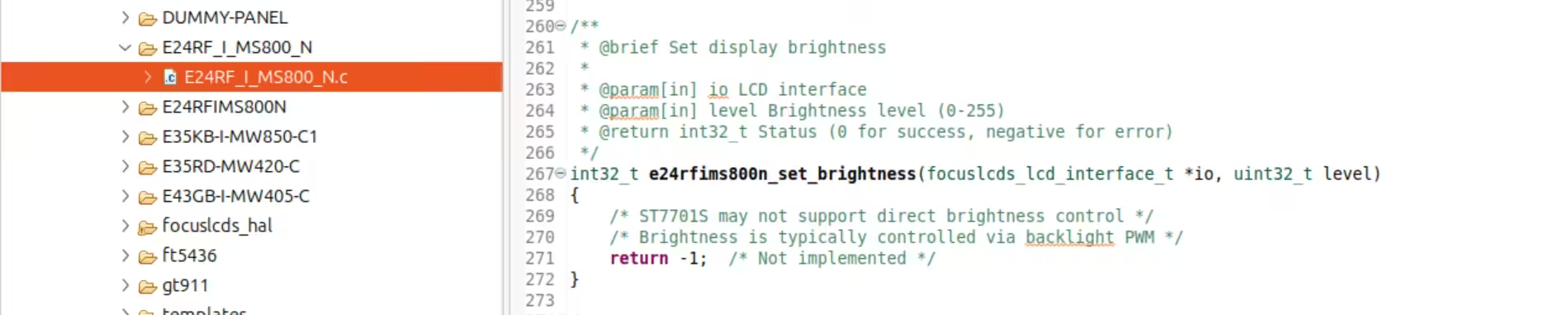
5.2 Brightness Control
int32_t e24rfims800n_set_brightness(focuslcds_lcd_interface_t *io, uint32_t level)
{
    /* ST7701S may not support direct brightness control via MIPI DSI */
    /* Brightness is typically controlled via PWM backlight */
    return -1;  /* Not implemented */
}
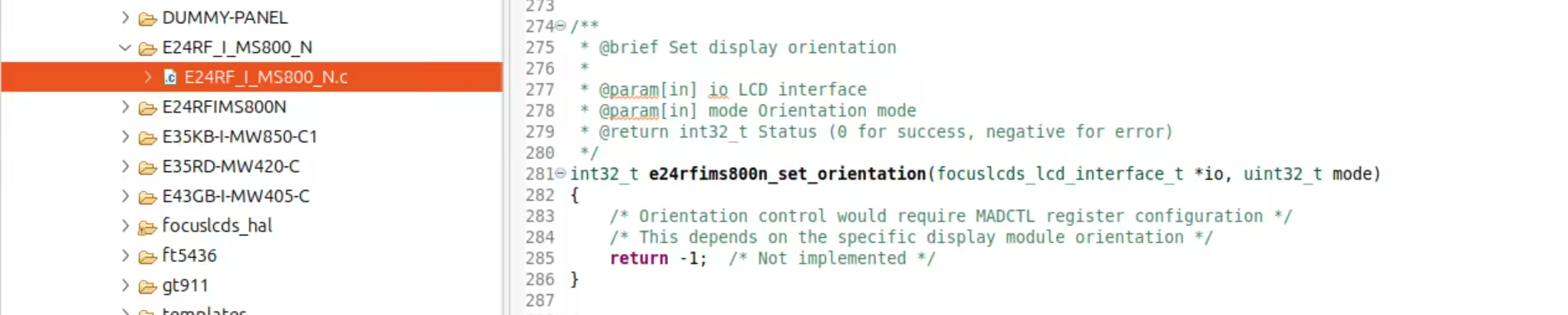
5.3 Orientation Control
int32_t e24rfims800n_set_orientation(focuslcds_lcd_interface_t *io, uint32_t mode)
{
    /* Orientation control requires MADCTL register configuration */
    /* Implementation depends on specific display module orientation */
    return -1;  /* Not implemented */
}
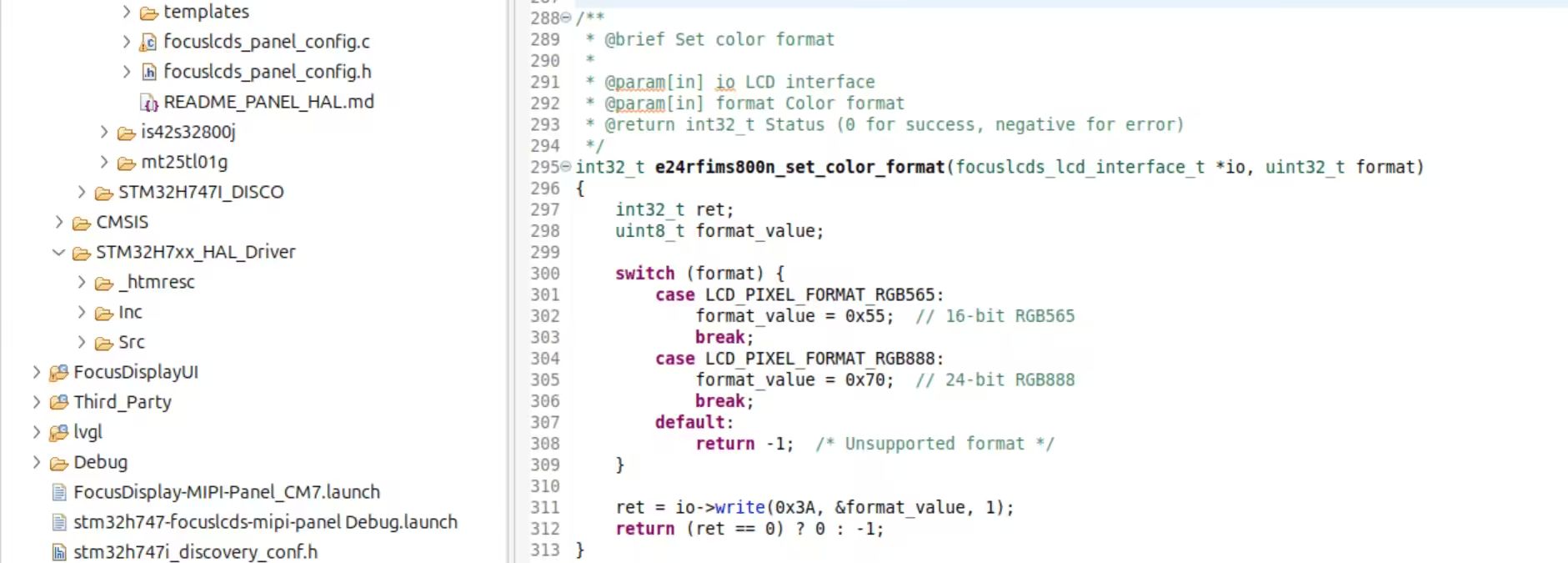
5.4 Color Format Control
int32_t e24rfims800n_set_color_format(focuslcds_lcd_interface_t *io, uint32_t format)
{
    int32_t ret;
    uint8_t format_value;

    switch (format) {
        case LCD_PIXEL_FORMAT_RGB565:
            format_value = 0x55;  // 16-bit RGB565
            break;
        case LCD_PIXEL_FORMAT_RGB888:
            format_value = 0x70;  // 24-bit RGB888
            break;
        default:
            return -1;  /* Unsupported format */
    }

    ret = io->write(0x3A, &format_value, 1);
    return (ret == 0) ? 0 : -1;
}
Registering the Panel
Step 6: Register Panel in Framework
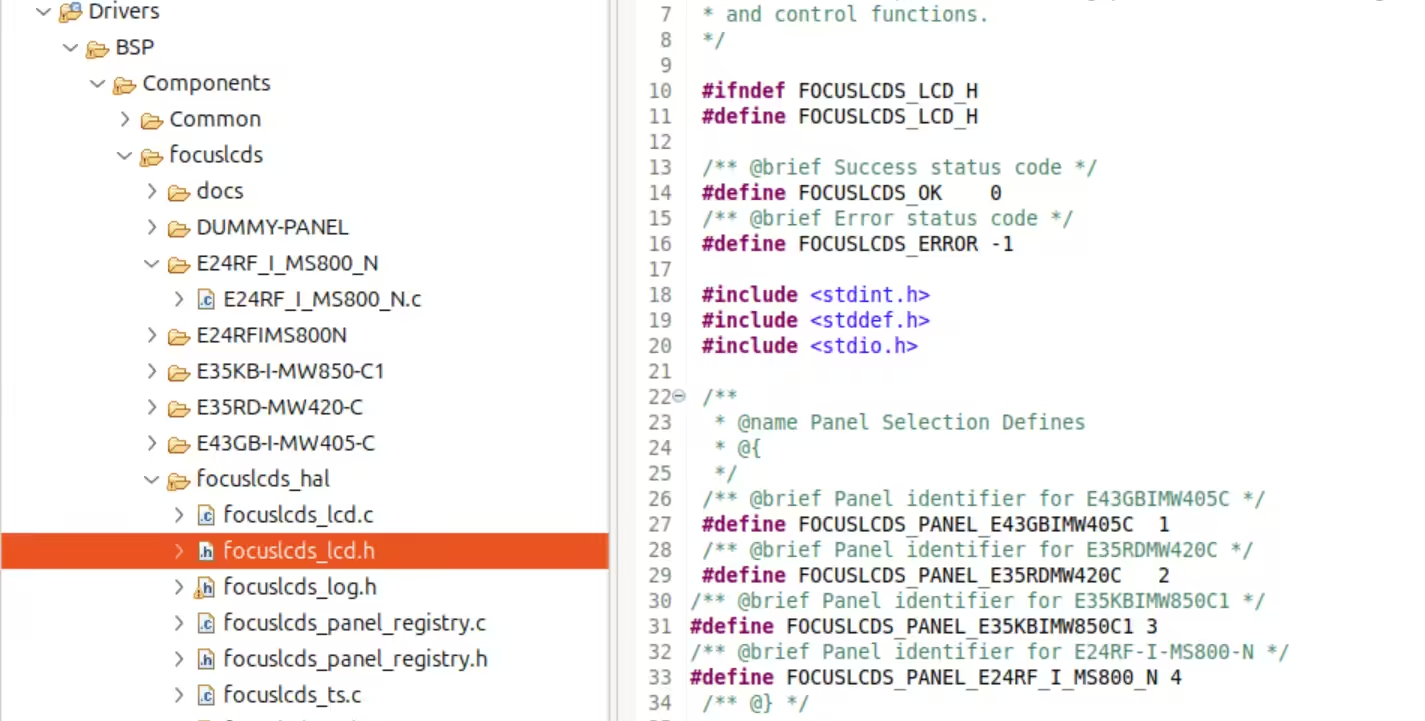
6.1 Add Panel ID Definition
In focuslcds_lcd.h, add the panel ID:
/** @brief Panel identifier for E24RF-I-MS800-N */
#define FOCUSLCDS_PANEL_E24RF_I_MS800_N 4
6.2 Register Panel Driver
In focuslcds_panel_config.c, add the registration:
// Add extern declaration
extern focuslcds_lcd_drv_t e24rfims800n_driver;

// In focuslcds_panel_config_init():
ret = focuslcds_r/**
 * @brief Initialize and register all supported panels and touchscreens
 * @return int Status of initialization (FOCUSLCDS_OK or FOCUSLCDS_ERROR)
 */
int focuslcds_panel_config_init(void)
{
    int ret;

    LOGI("Initializing panel configuration");

    /* Initialize the registry */
    ret = focuslcds_panel_registry_init();
    if (ret != FOCUSLCDS_OK)
    {
        LOGE("Failed to initialize panel registry");
        return ret;
    }

    /* Register panels */
    ret = focuslcds_register_panel(FOCUSLCDS_PANEL_E43GBIMW405C, &e43gbimw405c_driver, "E43GB-I-MW405-C");
    if (ret != FOCUSLCDS_OK)
    {
        LOGE("Failed to register E43GB-I-MW405-C panel");
        return ret;
    }

    ret = focuslcds_register_panel(FOCUSLCDS_PANEL_E35RDMW420C, &e35rdmw420c_driver, "E35RD-MW420-C");
    if (ret != FOCUSLCDS_OK)
    {
        LOGE("Failed to register E35RD-MW420-C panel");
        return ret;
    }

    ret = focuslcds_register_panel(FOCUSLCDS_PANEL_E35KBIMW850C1, &e35kbimw850c1_driver, "E35KB-I-MW850-C1");
    if (ret != FOCUSLCDS_OK)
    {
        LOGE("Failed to register E35KB-I-MW850-C1 panel");
        return ret;
    }

    ret = focuslcds_register_panel(FOCUSLCDS_PANEL_E24RF_I_MS800_N, &e24rfims800n_driver, "E24RF-I-MS800-N");
    if (ret != FOCUSLCDS_OK)
    {
        LOGE("Failed to register ST7701S_480x640 panel");
        return ret;
    }
egister_panel(FOCUSLCDS_PANEL_E24RF_I_MS800_N,
                               &e24rfims800n_driver, "E24RF-I-MS800-N");
if (ret != FOCUSLCDS_OK) {
    // Handle registration error
}

Building and Testing
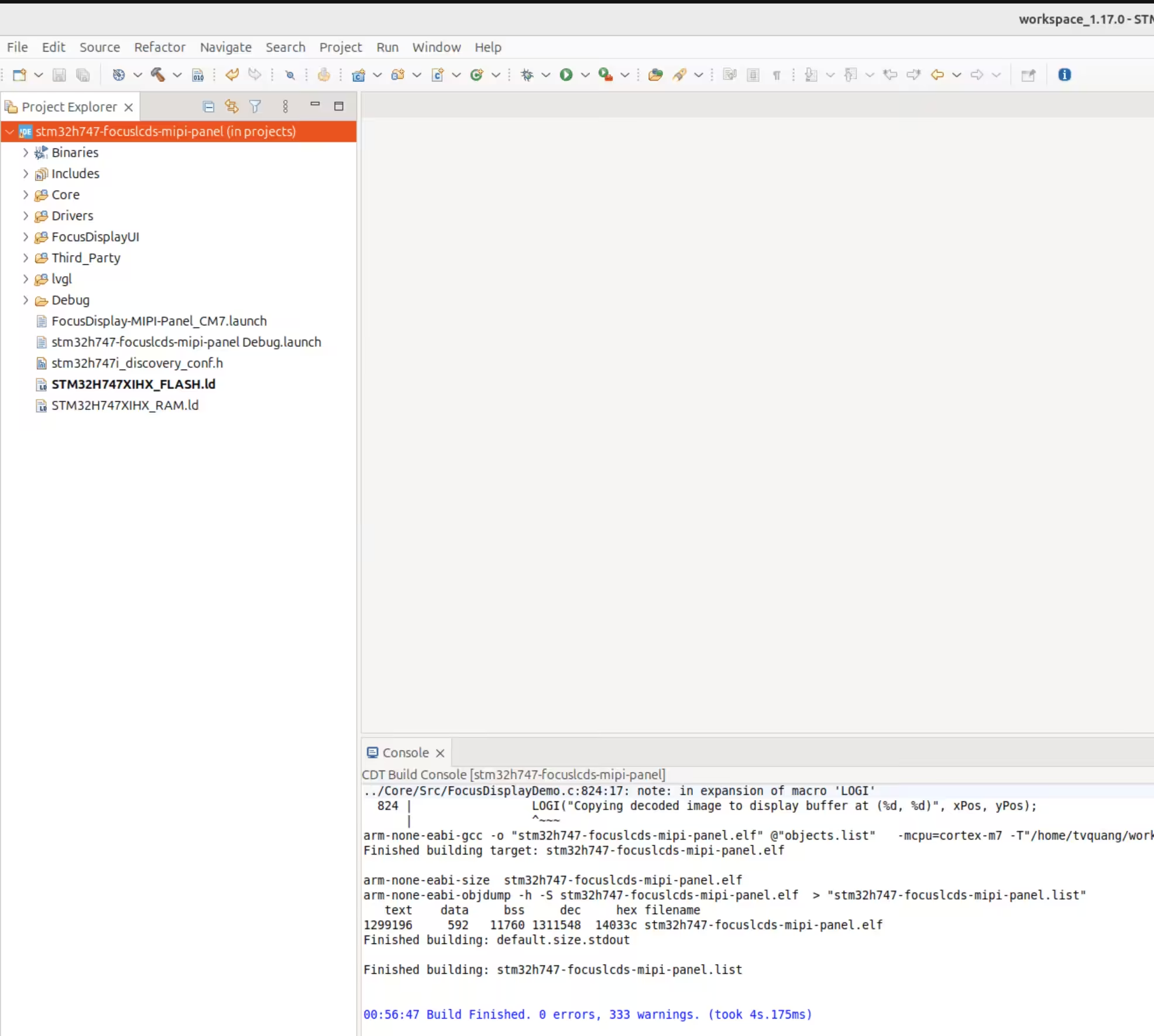
Step 7: Build Project
- Clean project: Project → Clean…
- Build project: Project → Build Project
- Check for errors: Review Problems view
Step 8: Test Panel Integration
8.1 Update Main Application
In main.c, select and initialize the panel:
/**
 * @brief Main program entry point
 * @retval int Return status (not used in embedded context)
 */
int main(void)
{
    COM_InitTypeDef COM_Init = {
        .BaudRate = 115200,
        .WordLength = 0,
        .StopBits = 0,
        .Parity = 0,
        .HwFlowCtl = 0};

    /* System initialization */
    MPU_Config();
    CPU_CACHE_Enable();
    HAL_Init();

    /* Configure system clock */
    SystemClock_Config();

    /* Initialize COM port */
    BSP_COM_Init(COM1, &COM_Init);
    printf("\n\r");
    LOGI("=========================================");
    LOGI("STM32H747I-DISCO - FocusLCDs demo application");
    LOGI("Date: %s", __DATE__);
    LOGI("Time: %s", __TIME__);
    LOGI("Build: %s", VERSION);
    LOGI("=========================================");

    /* UART information */
    LOGI("=========================================");
    LOGI("UART initialized with baud rate: %d", COM_Init.BaudRate);
    LOGI("Word length: %d", COM_Init.WordLength);
    LOGI("Stop bits: %d", COM_Init.StopBits);
    LOGI("Parity: %d", COM_Init.Parity);
    LOGI("Hardware flow control: %d", COM_Init.HwFlowCtl);
    LOGI("=========================================");

    /* Initialize LEDs */
    LOGI("Initializing LEDs...");
    BSP_LED_Init(LED1);
    BSP_LED_Init(LED2);
    BSP_LED_Init(LED3);
    BSP_LED_Init(LED4);

    /* Initialize QSPI */
    __HAL_RCC_CRC_CLK_ENABLE();
    BSP_QSPI_Init_t qspi_init = {
        .InterfaceMode = MT25TL01G_QPI_MODE,
        .TransferRate = MT25TL01G_DTR_TRANSFER,
        .DualFlashMode = MT25TL01G_DUALFLASH_ENABLE};

    LOGI("Initializing QSPI...");
    BSP_QSPI_Init(0, &qspi_init);
    BSP_QSPI_EnableMemoryMappedMode(0);
    HAL_NVIC_DisableIRQ(QUADSPI_IRQn);

    /* Initialize FocusLCDs panel system */
    LOGI("Initializing FocusLCDs panel system...");
    if (focuslcds_panel_config_init() != FOCUSLCDS_OK)
    {
        LOGE("Failed to initialize panel config");
        Error_Handler();
    }

    /* Select default panel (E24RF-I-MS800-N) */
    if (focuslcds_select_panel_config(FOCUSLCDS_PANEL_E24RF_I_MS800_N) != FOCUSLCDS_OK)
    {
        LOGE("Failed to select panel");
        Error_Handler();
    }

Troubleshooting
Common Issues and Solutions
Issue 1: Build Errors
Symptom: Compilation fails with undefined reference errors.
Solution:
- Ensure all required header files are included
- Verify the Focus LCDs framework is properly integrated
- Check that the panel driver file is added to the build configuration
Issue 2: Display Not Initializing
Symptom: Panel remains blank or shows no response.
Solutions:
- Verify hardware connections (power, MIPI DSI signals)
- Check voltage levels (VCI: 3.3V, VDD: 1.8V)
- Ensure proper reset sequence timing
- Validate initialization command sequence
Issue 3: Color Format Issues
Symptom: Incorrect colors or distorted display.
Solution:
- Confirm RGB888 format is properly set (0x70 command)
- Verify pixel format configuration in STM32 DSI host
- Check data lane configuration (2-lane setup)
Issue 4: Timing Problems
Symptom: Flickering, tearing, or unstable display.
Solutions:
- Validate timing parameters match panel specifications
- Ensure MIPI clock frequency is set to 250 Mbps
- Check horizontal/vertical sync pulse widths
- Verify porch settings (HBP, HFP, VBP, VFP)
Debug Tips
- Use Oscilloscope: Monitor MIPI DSI signals for proper data transmission
- Check Return Values: All driver functions return status codes – monitor for errors
- Enable Debug Output: Add debug prints to track initialization progress
- Verify Power Sequencing: Ensure proper power-up sequence for the panel
Getting Help
If you encounter issues not covered here:
- Check the Focus LCDs Knowledge Base
- Contact technical support at LCD@focuslcds.com
- Provide detailed error logs and hardware setup information
Files Created/Modified
New Files
projects/Drivers/BSP/Components/focuslcds/E24RF_I_MS800_N/E24RF_I_MS800_N.cprojects/Drivers/BSP/Components/focuslcds/E24RF_I_MS800_N/E24RF_I_MS800_N.h(optional)
Modified Files
projects/Drivers/BSP/Components/focuslcds/focuslcds_hal/focuslcds_lcd.hprojects/Drivers/BSP/Components/focuslcds/focuslcds_panel_config.cprojects/Core/Src/main.c
References
Documentation
-
STM32H747 Reference Manual – STMicroelectronics
- Detailed information about STM32H747 DSI host controller
- Available at: ST.com
-
MIPI DSI Specification – MIPI Alliance
- Complete MIPI DSI protocol specification
- Available at: MIPI.org
-
Focus LCDs Framework Documentation
- Framework integration guide
- Available through other Focus LCDs application notes at: https://focuslcds.com/application-notes
Code References
- E24RF-I-MS800-N Initialization Code
- Available at: Focus LCDs Code Repository
- FocusLCDs MIPI Drivers Repository
- Available upon request
© 2026 Focus LCDs Corporation. All rights reserved.
Disclaimer: The information in this document is provided “as is” without warranty of any kind. Focus LCDs Corporation reserves the right to make changes to this document and the products described herein without notice.
Buyers and others who are developing systems that incorporate Focus LCDs products (collectively, “Designers”) understand and agree that Designers remain responsible for using their independent analysis, evaluation and judgment in designing their applications and that Designers have full and exclusive responsibility to assure the safety of Designers’ applications and compliance of their applications (and of all Focus LCDs products used in or for Designers’ applications) with all applicable regulations, laws and other applicable requirements.
Designer represents that, with respect to their applications, Designer has all the necessary expertise to create and implement safeguards that:
(1) anticipate dangerous consequences of failures
(2) monitor failures and their consequences, and
(3) lessen the likelihood of failures that might cause harm and take appropriate actions.
Designer agrees that prior to using or distributing any applications that include FocusLCDs products, Designer will thoroughly test such applications and the functionality of such FocusLCDs products as used in such applications.

